Media Asset Index
Overview
This index catalogs the visual assets, attachments, and media files referenced throughout the LLM World Engine Discord channel. The Media folder contains 100+ files including screenshots, diagrams, reference images, code attachments, and project artifacts.
Total Files: 100+ assets File Types: PNG, JPG, JPEG, TXT, ZIP Date Range: January 2024 - December 2025
Critical Visual Assets
Architecture Diagrams
LLM Processing Phases
Creator: User-veritasr Date: February 2024 Referenced In: 01-Architecture-and-Design
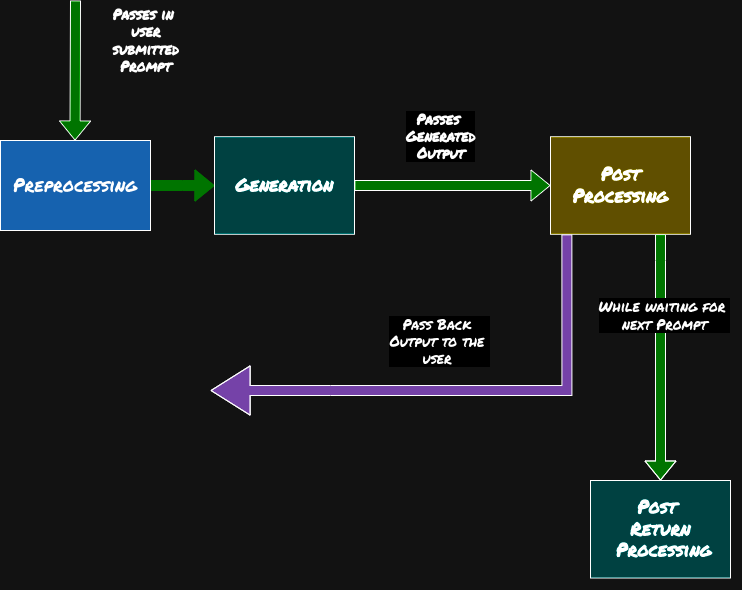
Description: Comprehensive diagram showing the four phases of LLM processing in game engines:
- Preprocessing: User prompt intake and context preparation
- Generation: LLM produces narrative output
- Post Processing: Validation and formatting
- Post Return Processing: Response handling with feedback loop
Significance: Became the reference architecture for both ReallmCraft and ChatBot RPG, demonstrating the consensus around separating programmatic control from generative narration.
ChatBot RPG Visual Documentation
Screenshot 1: Main Game Interface
Creator: User-appl2613 Date: May 26, 2025 Referenced In: 06-UI-and-Frontend, User-appl2613
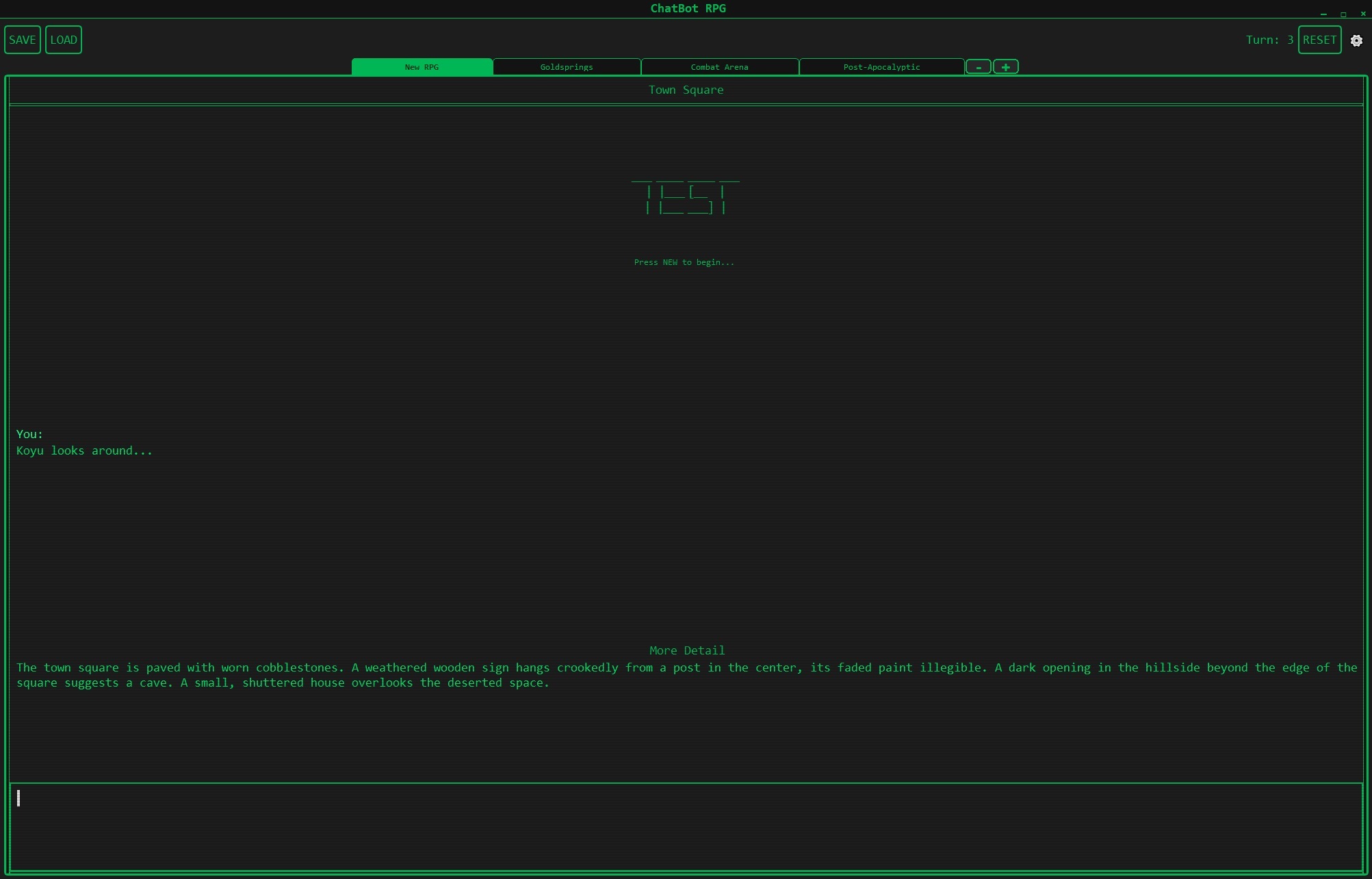
Description: Primary game interface showing the CRT-style green-on-black terminal aesthetic. Features visible include scene tabs (New RPG, Goldsprings, Combat Arena, Post-Apocalyptic), turn counter, save/load buttons, and the Town Square starting location.
UI Elements:
- Scene navigation tabs
- Turn counter (upper right)
- Save/Load functionality
- ASCII art “TEST” branding
- Chat history with clear player/AI separation
Screenshot 2: NPC Interaction & Party System
Creator: User-appl2613 Date: May 26, 2025 Referenced In: 06-UI-and-Frontend, User-appl2613
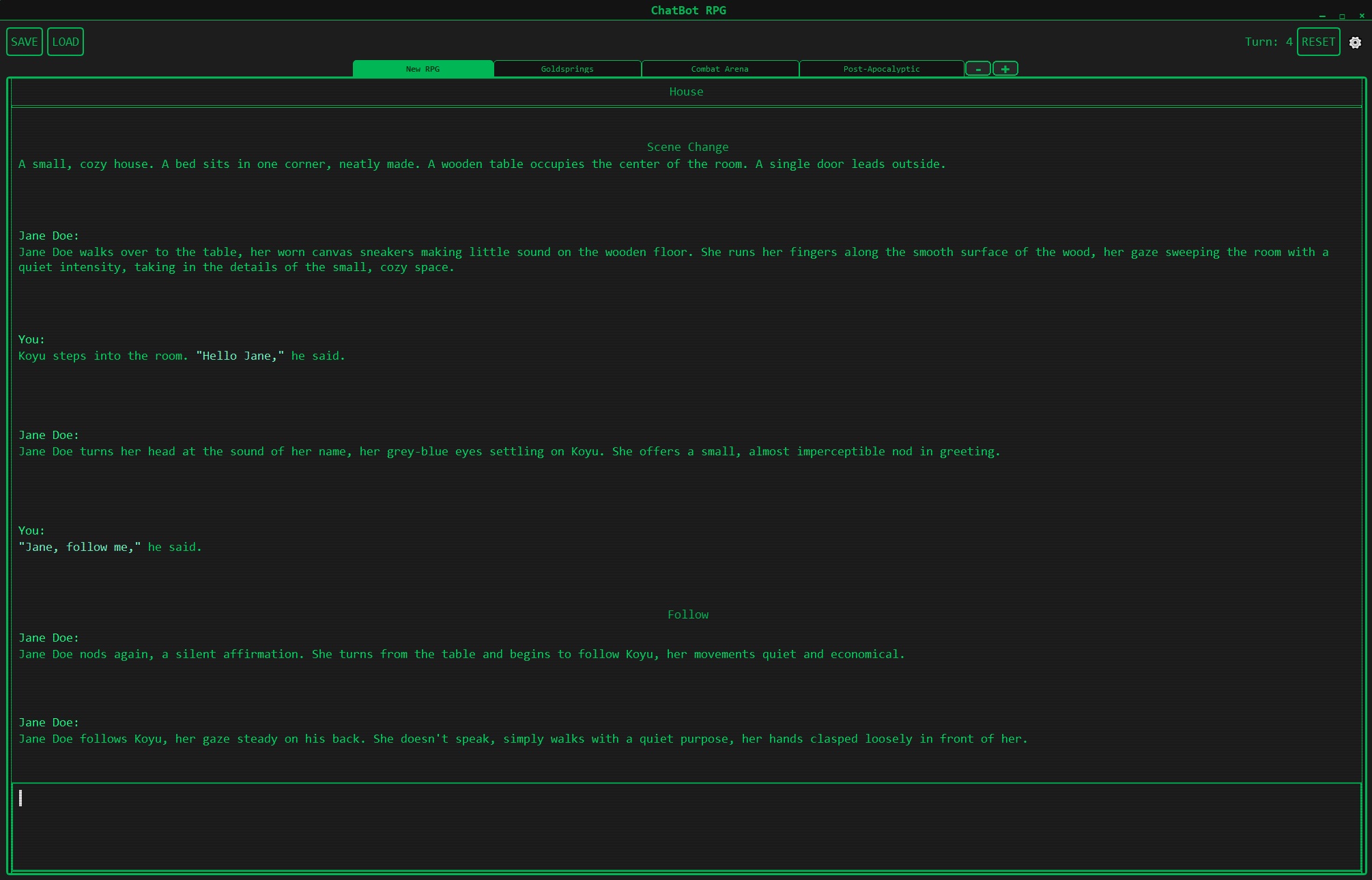
Description: Demonstrates the party mechanics with Jane Doe NPC. Shows natural conversation flow, the “Follow” command integration, and scene transitions between House and other locations. Illustrates context-aware dialogue and memory persistence across scenes.
Key Features:
- Multi-turn conversation
- Party companion mechanics
- Scene change notification (“Scene Change”)
- Natural language understanding
- Context preservation
Screenshot 3: Visual Rule Editor
Creator: User-appl2613 Date: May 26, 2025 Referenced In: 06-UI-and-Frontend, User-appl2613
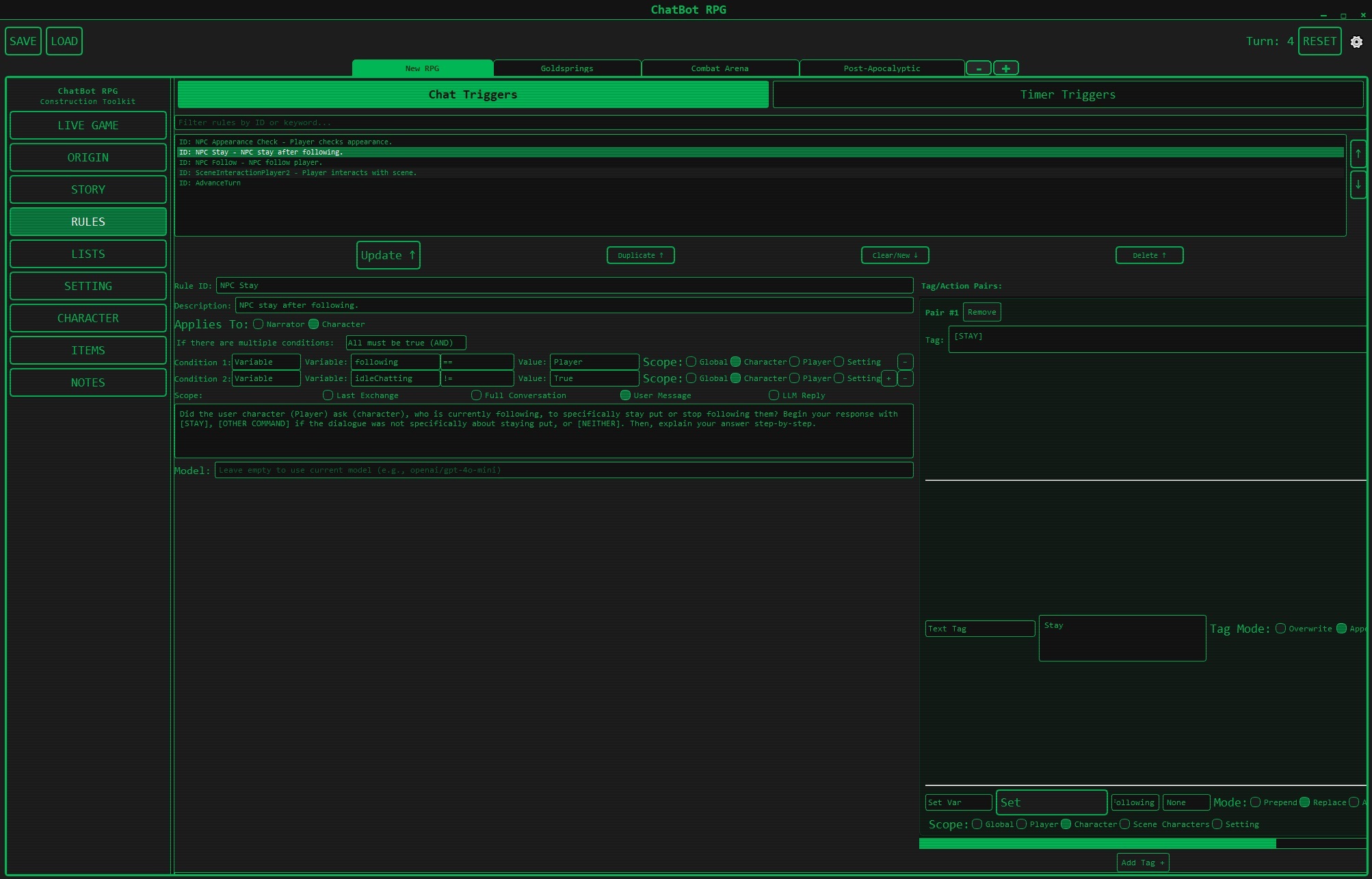
Description: The StarCraft-inspired trigger system that eliminates the need for coding. Shows the rule builder interface with Chat Triggers and Timer Triggers tabs, condition builders, variable scoping, and model selection.
Interface Components:
- Chat Triggers vs Timer Triggers tabs
- Rule ID and description fields
- “Applies To:” selector (Narrator/Character)
- Condition builder with AND/OR logic
- Variable types: Variable, following, ischatting
- Scope selectors: Global, Player, Character, Scene, Setting
- Action buttons: Update, Duplicate, Clear/New, Delete
- Model selection dropdown
Significance: Core innovation that allows non-programmers to create complex game logic through visual programming.
Screenshot 4: Map Editor
Creator: User-appl2613 Date: May 26, 2025 Referenced In: 06-UI-and-Frontend, User-appl2613
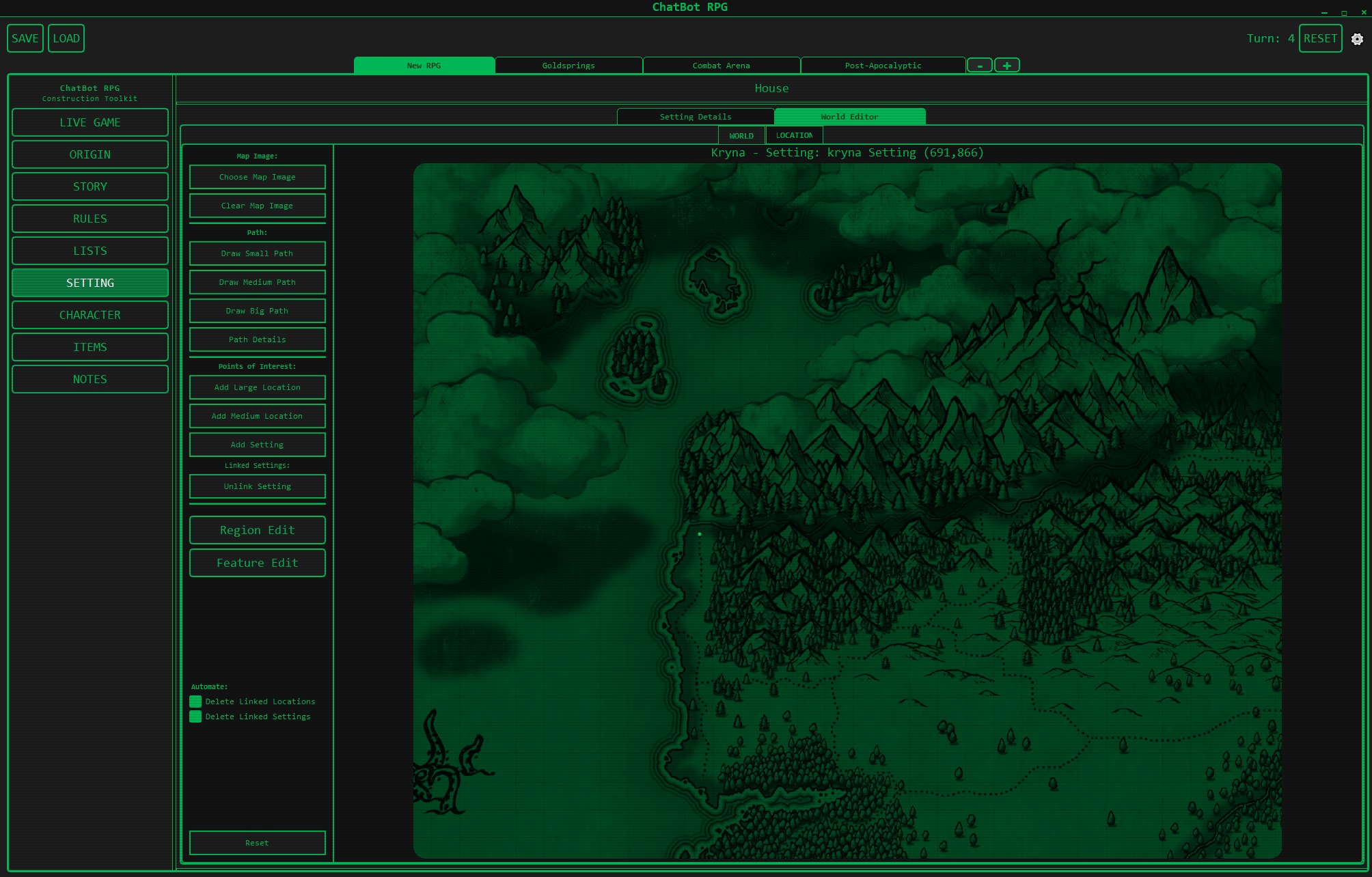
Description: Visual map editor showing the scene relationship system. Displays Goldsprings, Combat Arena, and Post-Apocalyptic zones with route connections. Demonstrates how scenes link together and how natural language determines which exits lead to adjacent scenes.
Map Features:
- Scene nodes: Goldsprings, Combat Arena, Post-Apocalyptic
- Connection routes between scenes
- “New RPG” starting location
- Visual representation of world structure
Screenshot 5: Character Editor
Creator: User-appl2613 Date: May 26, 2025 Referenced In: 06-UI-and-Frontend, User-appl2613
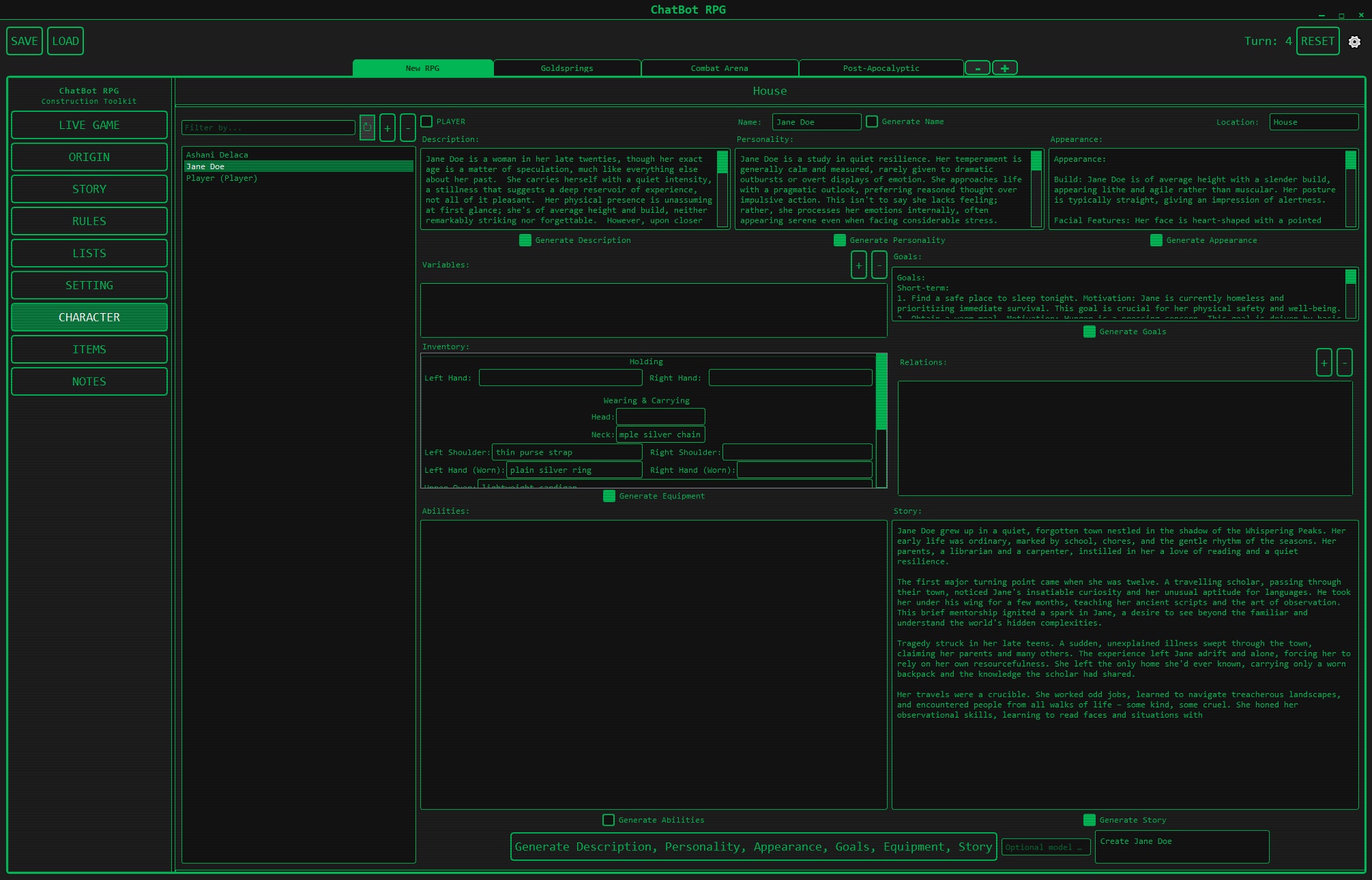
Description: Character creation interface with LLM-assisted generation. Shows Jane Doe’s complete character sheet with sections for Name, Description, Personality, Appearance, Goals, Equipment, Abilities, and Story. Features “Generate” buttons for each section, allowing AI-assisted content creation.
Character Sheet Sections:
- Name (with dropdown selection)
- Description (with “Generate Description” button)
- Personality (with “Generate Personality” button)
- Appearance (with “Generate Appearance” button)
- Goals (with “Generate Goals” button)
- Equipment (with “Generate Equipment” button)
- Abilities (with “Generate Abilities” button)
- Story (with “Generate Story” button)
Jane Doe Example Data:
- Description: “Jane Doe is a woman in her late twenties… temperament is reserved…”
- Appearance: “Build: She is of average height with a slender build…”
- Equipment: Belt pouches, flasks, glass flasks, silver ring, plain silver sash
- Abilities: Wearing & Carrying, Speak
Reference Images
Slay the Spire Map Generation
Date: February 2024 Referenced By: User-veritasr Referenced In: 04-World-Generation
Context: Shared as inspiration for node-based map generation systems. Discussion about how Slay the Spire’s procedural map generation could inform world building in LLM games.
Link: https://kosgames.com/slay-the-spire-map-generation-guide-26769/
World Map Examples
Date: Throughout discussions Context: Fantasy game world map reference
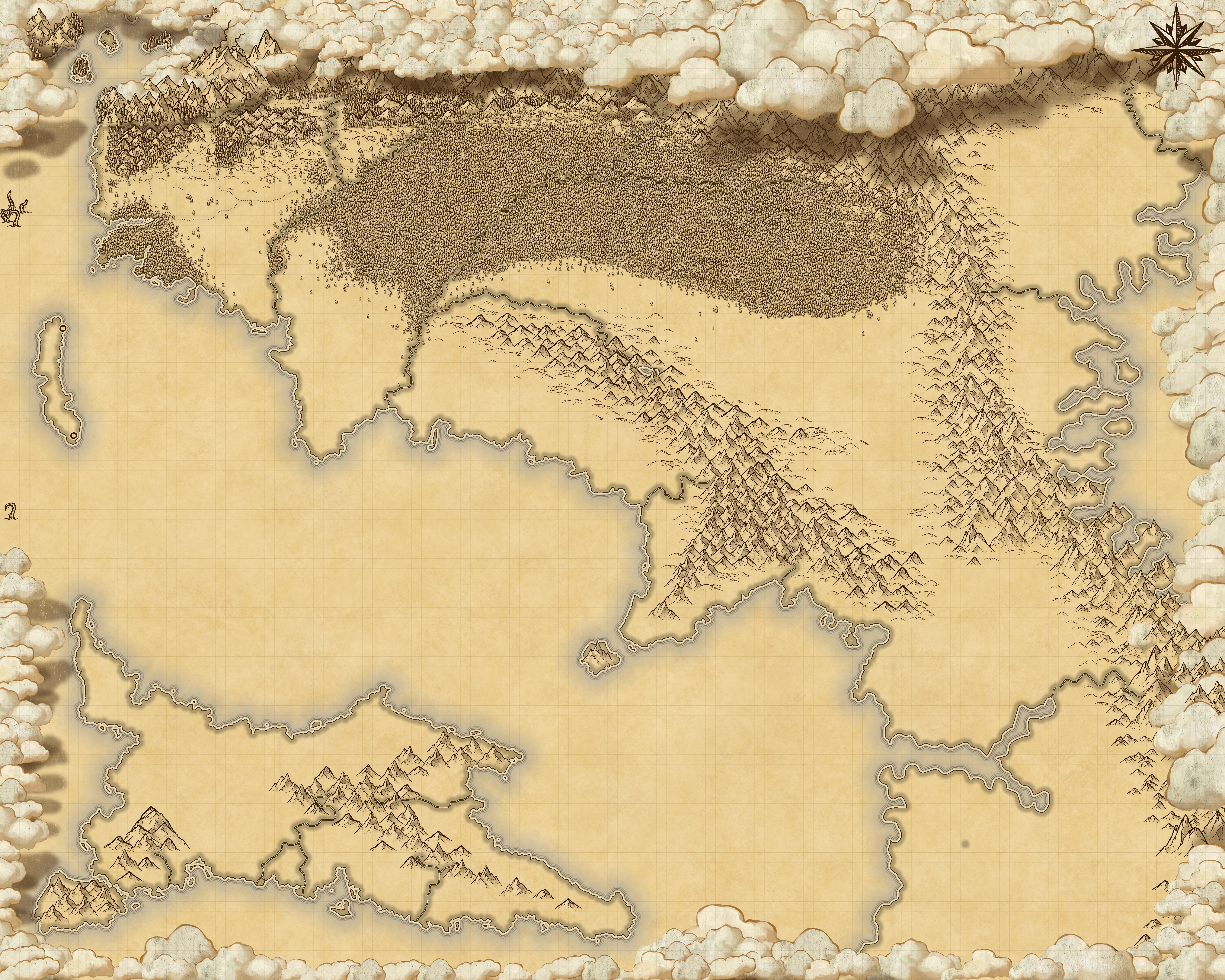
Description: Fantasy-style world map showing continents, mountains, coastlines. Used in discussions about top-down vs bottom-up world generation approaches. Illustrates the scale and detail challenge in procedural world building.
Morrowind Dialogue System
Date: May 2024 Referenced By: User-appl2613 (monkeyrithms) Referenced In: 02-Prompt-Engineering
Context: Shared to illustrate how LLM RP dialogue resembles Morrowind’s keyword-based dialogue system. Discussion about how NPCs in LLM games tend to be encyclopedic like Morrowind NPCs rather than conversational like modern games.
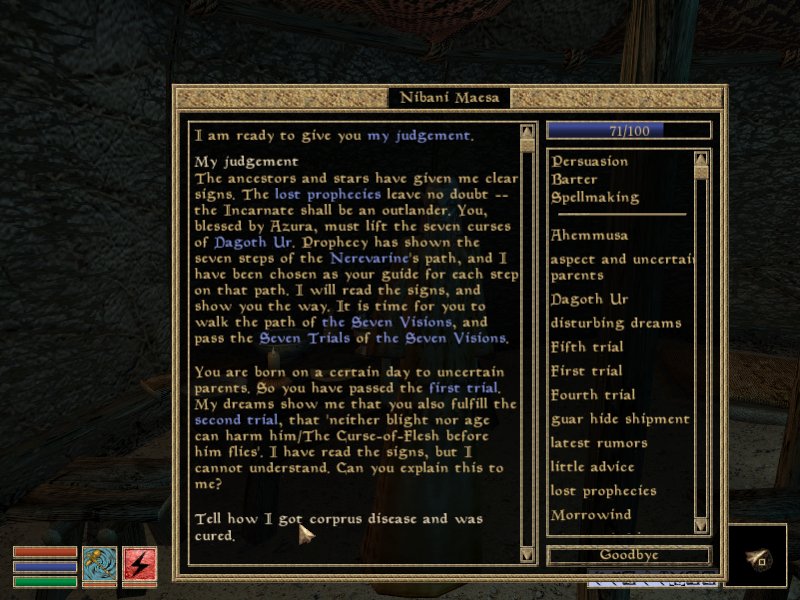
Quote:
“llm rp dialogue kind of reminds me a lot of the dialogue in Morrowind, which was all text, on a wiki-type keywords system, and there was this very encyclopedic way that NPCs talked”
Integration with Documentation
Primary References
| Media File | Thread Files | User Profiles | Importance |
|---|---|---|---|
| LLM_Processing_Phases-39904.png | 01-Architecture-and-Design | User-veritasr | Critical |
| ChatbotRPG1-B43DA.jpg | 06-UI-and-Frontend | User-appl2613 | High |
| ChatbotRPG2-203E4.jpg | 06-UI-and-Frontend | User-appl2613 | High |
| ChatbotRPG3-F77A8.jpg | 06-UI-and-Frontend | User-appl2613 | Critical |
| ChatbotRPG4-423EF.jpg | 06-UI-and-Frontend | User-appl2613 | High |
| ChatbotRPG5-64BE7.jpg | 06-UI-and-Frontend | User-appl2613 | High |
Secondary References
Hundreds of additional screenshots and images exist in the Media folder documenting:
- Development progress over 18+ months
- Bug reports and issue tracking
- UI iterations and experiments
- Testing sessions
- Community contributions
- External references and inspiration
Related Documentation
- 00-INDEX - Main vault index
- 01-Architecture-and-Design - Uses LLM Processing Phases diagram
- 06-UI-and-Frontend - Heavy integration of ChatBot RPG screenshots
- User-appl2613 - Profile includes all 5 ChatBot RPG screenshots
- User-veritasr - Creator of LLM Processing Phases diagram
Media Integration Status
As of January 16, 2026, key visual assets have been integrated into the appropriate documentation files. Additional screenshots exist but are not yet contextualized in the Obsidian vault.